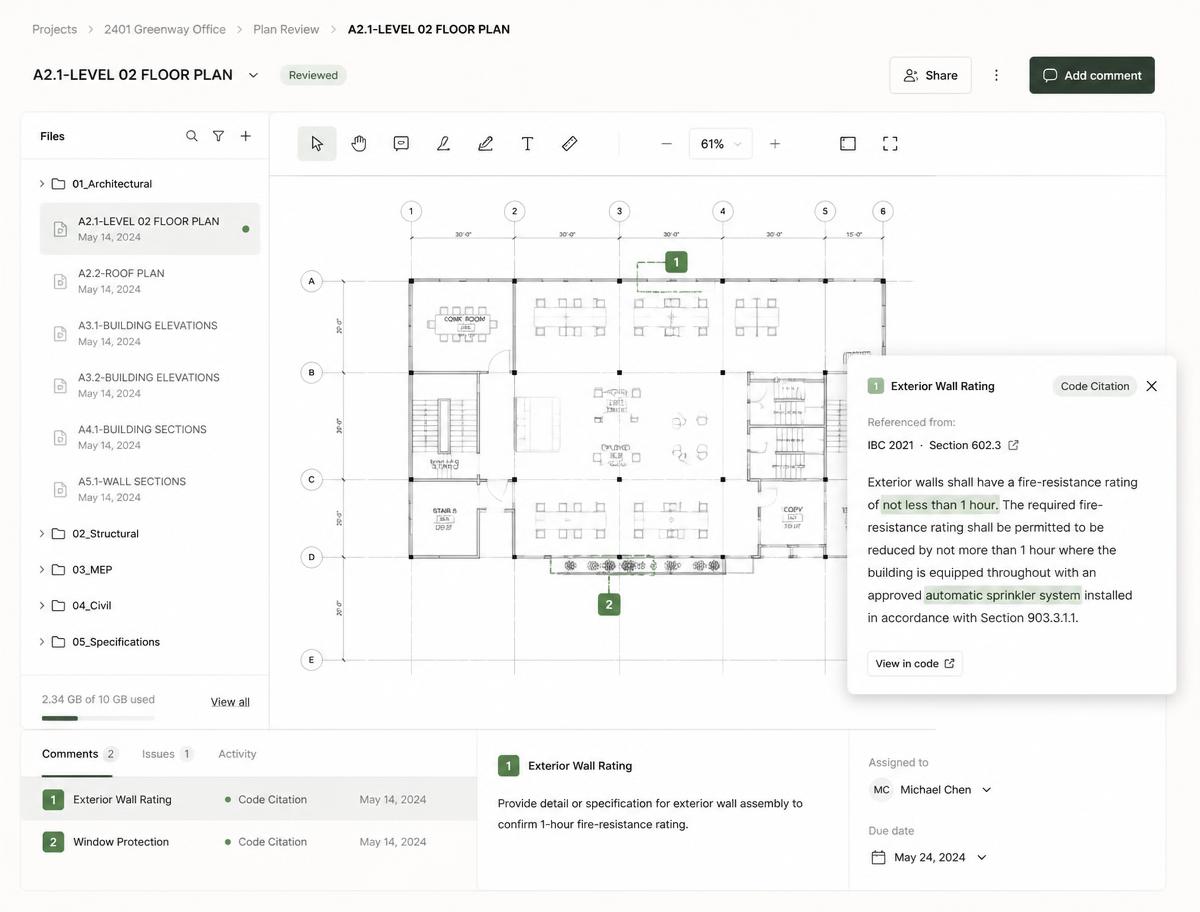
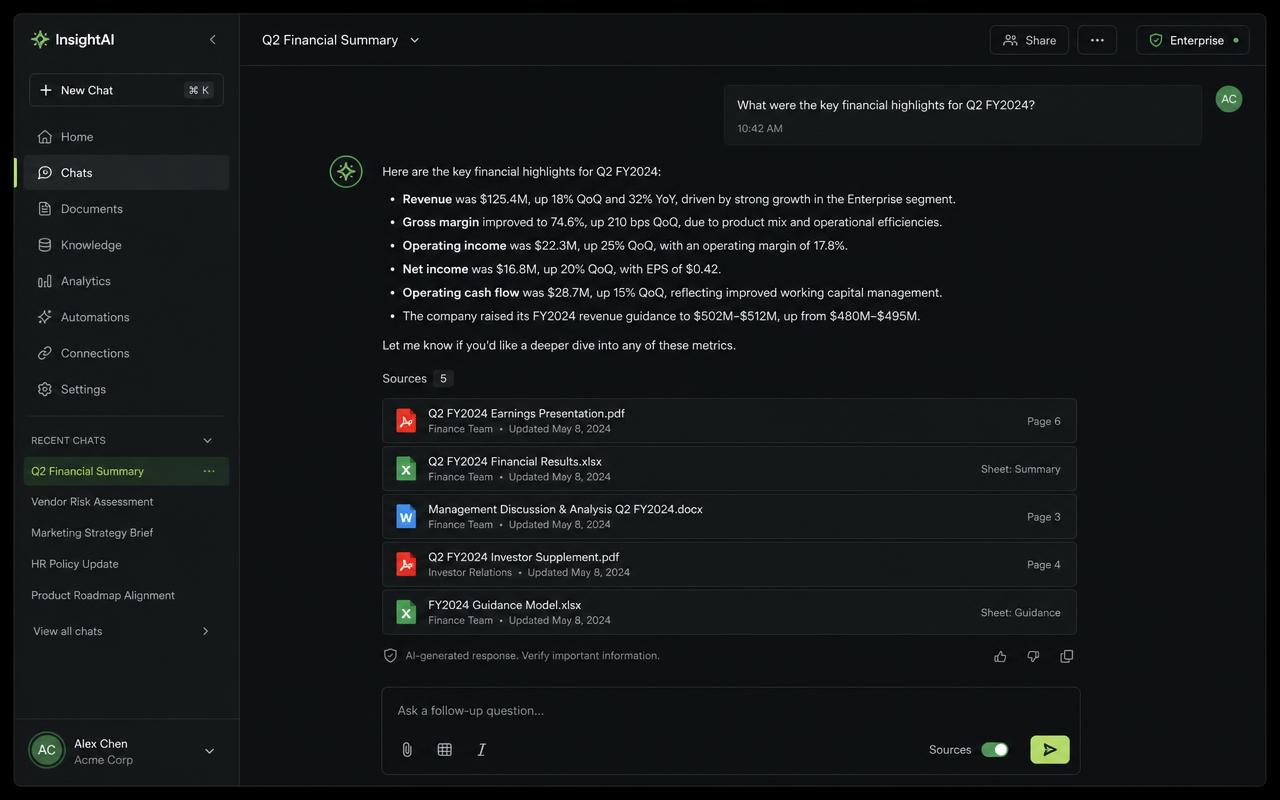
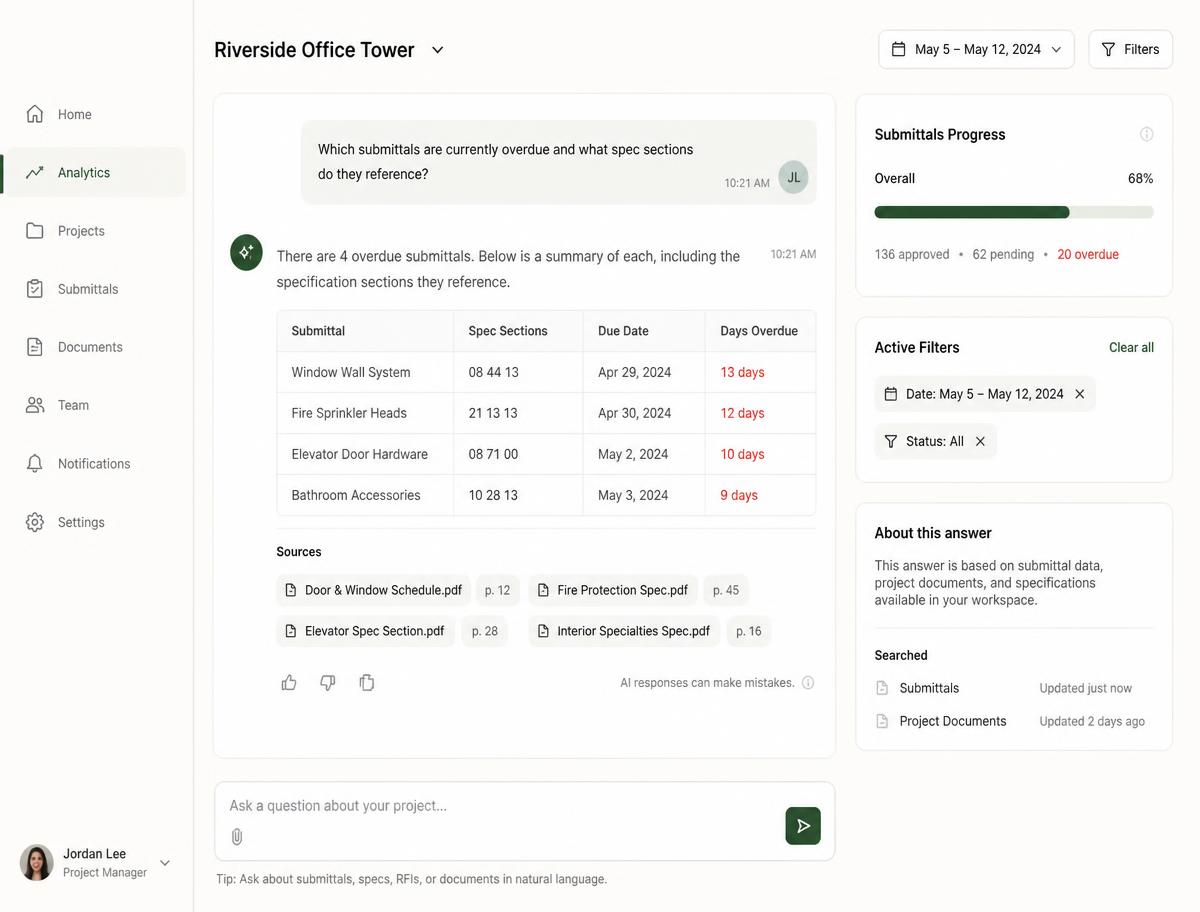



Ask Aria Anything
Get instant answers from drawings, BIM, schedules and field logs. Aria cites its sources so you can verify every recommendation.

Pulcenow unifies drawings, BIM, schedules and field records in one project workspace. Aria Copilot answers questions, agents automate takeoff and progress tracking, and every decision is grounded in live data.
Trusted by leading construction teams
Built for industrial work
Concrete · Piping · Mechanical
Our products
Pulcenow brings drawings, BIM models, schedules, crews and field records into a single project workspace. AI agents accelerate quantification and progress tracking, while every number stays traceable back to the source.
Ask questions in plain language and get instant answers pulled from drawings, BIM, schedules and field logs. Aria reasons across project data so teams spend less time searching and more time deciding.
Progress logs, work sessions, timesheets and crew productivity — captured on site and rolled up to the project dashboard in real time.
Weld maps, inspections, NCRs, observations and incident reporting, with templates, punch lists and a learning hub for the crew.
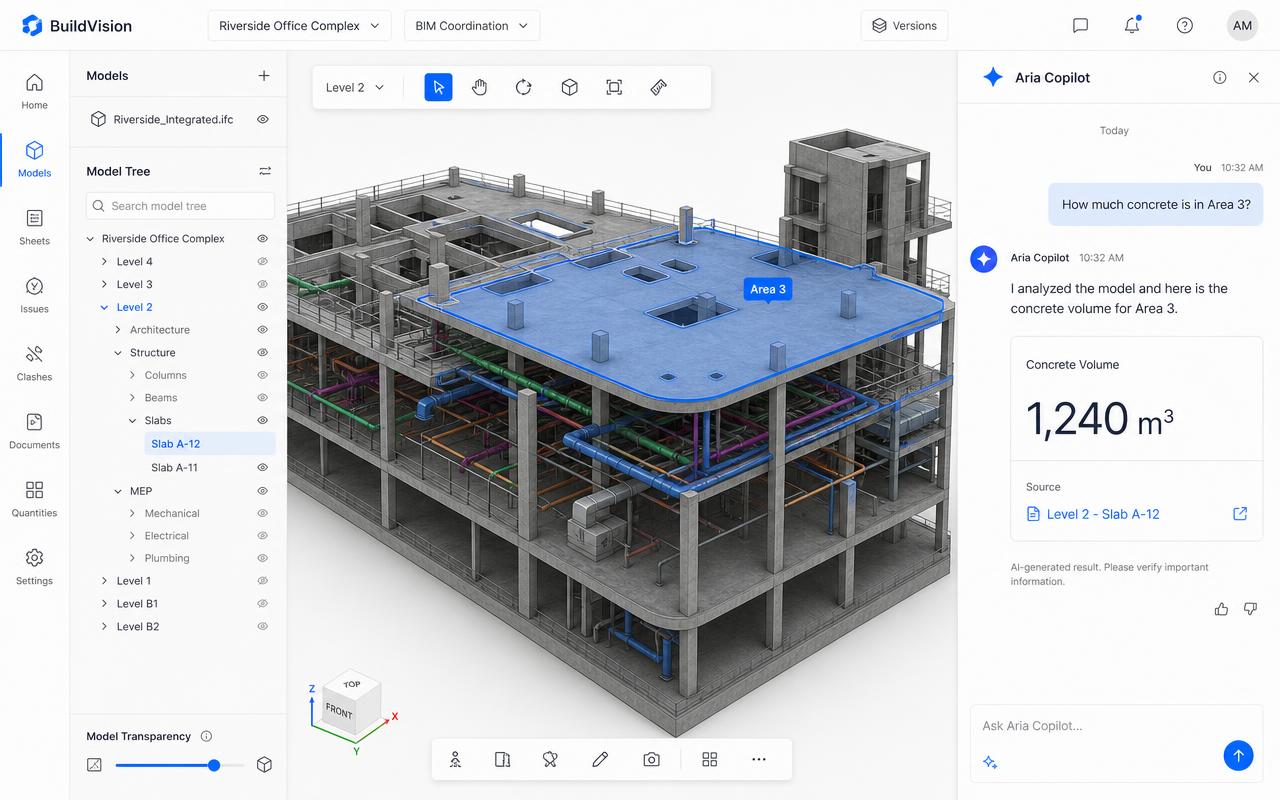
BIM Intelligence
Aria Copilot reads the 3D model, element parameters and revisions to answer in plain language: How much concrete is in Area 3? Which MEP elements changed between revision A and B? Every answer carries a source link back to the model.
Explore BIM featuresBIM capabilities
Pulcenow opens Autodesk models inside the project workspace and keeps every quantity, issue and revision tied to the source elements.
Open Revit, ACC and IFC models directly in the workspace. Navigate levels, isolate disciplines and inspect element parameters without exporting files or switching apps.
See the viewer →Extract concrete, piping, steel and MEP quantities from model parameters, then link them to project catalogs, areas and WBS lines for traceable takeoff.
Detect what changed between model revisions: added, removed or modified elements are highlighted so scope, cost and schedule impacts surface immediately.
10x
Faster quantity takeoff from BIM vs manual methods
Connect planning and WBS lines to model elements so installed work in the field credits against the exact scope it represents.
Mark interferences, NCRs and observations directly on the model. Each issue keeps an owner, status and due date that the whole team can follow.
AI on BIM
Aria Copilot turns the BIM into a conversational interface — ask, verify and act on model data without opening a spreadsheet.
Ask about parameters, quantities, locations or statuses and get answers that cite the exact model element, level and revision.
Compare field-captured installs against the model to estimate progress automatically, flagging scope that is ahead or behind plan.
Upload a new revision and Aria summarizes what moved, what grew and what that means for cost and schedule in seconds.
Drawings, schedules, quantities and field records sit in different tools, so finding the truth means chasing files across apps and inboxes.
Percent-complete is estimated in a meeting instead of credited against live scope, so cost and schedule drift before anyone notices.
Timesheets, welds, inspections and observations are captured on paper and re-typed later, if they make it back to the office at all.
Intelligence
Aria Copilot reads drawings, BIM, schedules and field logs so you can ask natural questions: How much concrete is installed in Area 3? Which welds are still open? The agent returns answers with source links, not guesses.
Explore AriaBuild and control
Crews log installed work, hours and welds from any device. Progress credits roll into planning, finance and analytics automatically, so dashboards reflect what actually happened on site.
Learn moreAria Copilot connects drawings, BIM, schedules and field logs so a question in plain language returns a precise answer with its source — no more hunting through revisions.
See how Aria works →10x
Faster answers to project questions with Aria Copilot
"Simplicity with power — tools should empower the crew, not complicate the job."
Planning, execution, resources, timesheet, inventory, finance and analytics share the same project data — no exports, no reconciliation between tools.
QR-based inventory ties material on site to the scope it belongs to, so what was ordered, received and installed stays in sync with the project.
100%
Traceability from planning to installed and credited work
40%
Reduction in errors from manual re-entry and duplicated records
Weld maps and NCRs, safety inspections and observations, crew timesheets and work sessions — the records supervisors already keep, structured and shared live.
Use cases
The everyday workflows Pulcenow powers — from AI-assisted decisions to field execution, quality, safety and cost — grounded in your drawings, models and field records.
Explore all use casesGet instant answers from drawings, BIM, schedules and field logs. Aria cites its sources so you can verify every recommendation.
Crews log installed quantities and work sessions on site; earned progress updates planning, finance and analytics without a single re-entry.
Track welds, inspections and non-conformance reports against the line and drawing they belong to, with a live weld map for the whole system.
Run inspections from templates, capture observations and incidents from the field, and follow the safety pulse of every crew in one view.
Open Autodesk models directly in the project, inspect elements and parameters, and collaborate around the model without leaving the workspace.
Quantify concrete and piping per area and drawing, apply project catalogs and waste factors, and keep quantities tied to the source.
Data is partitioned per project and every request verifies that the caller belongs to it. Roles are stored server-side and cannot be changed from the browser.
All traffic runs over HTTPS/TLS, stored data is encrypted at rest, and uploaded files live in private buckets served only through short-lived signed URLs.
Role changes, financial access and destructive actions are recorded in audit logs; code and database changes ship through review and versioned migrations.
"Ask the project a question and get an answer with a source link — not another spreadsheet hunt."
10x
Faster project answers
99.5%
Source accuracy target
Unify your project data, deploy AI agents that answer and automate, and give every team the clarity to build with confidence.
Book a demo